



What is the difference between guest devices and TV apps?
Two situations get mixed up. In the first, a guest signs into Netflix on your TV with their own account. The login stays on the TV until someone signs out. In the second, the guest casts from their phone: their account never lives on the TV, so there is nothing to reset on the TV.
A third situation is your own account. If you signed your personal Netflix or YouTube into the TV, the next guest can see your profile, history and recommendations. Treat this as the biggest risk and avoid it.
Only the first and third cases need a reset. The steps below cover the account owner signing the TV out. A guest can always do the same on the TV themselves.
How do I sign out of each service remotely?
These are the options from each service's own help pages as of 16 Nov 2026. Menu names change, so follow the current help page if your screen differs.
| Service | On the TV | Remotely (account owner) |
|---|---|---|
| Netflix | Sign out in the app's menu | Manage Access and Devices page: sign out one device, or Sign Out of All Devices at the bottom, then confirm. Devices can take up to 48 hours to appear, and devices inactive for 90 days are not listed. |
| YouTube | Open the left menu, choose your profile, then Sign out or Remove Account | myaccount.google.com/device-activity: pick the device and Sign out. Or myaccount.google.com/permissions, YouTube on TV, Remove Access: signs out every device using that account. |
| Prime Video | Sign out in the app | Prime Video website, account settings, Devices, then Deregister next to the device. |
| Disney+ | Log out in the app | Disney+ offers a log-out-of-all-devices option for the account. Check Disney's help center for the current steps. |
Netflix, Google and Prime Video steps checked against their help pages on 16 Nov 2026. The Disney+ help page could not be read in full, so confirm its current steps there.
What happens when I sign out of all devices?
Remote sign-out affects every device on that account, including yours. On Netflix, signing out of all devices means logging in again on each one you still want to use. On YouTube, removing YouTube on TV access signs out any device using the YouTube on TV app with that account.
That is why single-device sign-out is usually better for your own accounts, and the all-devices option is the tool for a guest who left with your login still on the TV, or for a security scare. If you suspect someone else knows your password, change it as well after signing out.
A checkout checklist for streaming apps
Add this to your cleaner's or your own checkout routine.
- Open Netflix, YouTube, Prime Video and any other installed app. If a profile or account is visible, sign it out.
- Check the TV's recent apps and home screen row for guest profile names.
- Check Wi-Fi saved networks: remove any guest hotspot if one was added.
- Confirm the welcome screen starts at power-on and the TV is on the input you expect.
- Switch the TV off at the remote and leave it in standby, not on a streaming app.
- Check the TV's remote and its batteries.
How do I stop it happening in the first place?
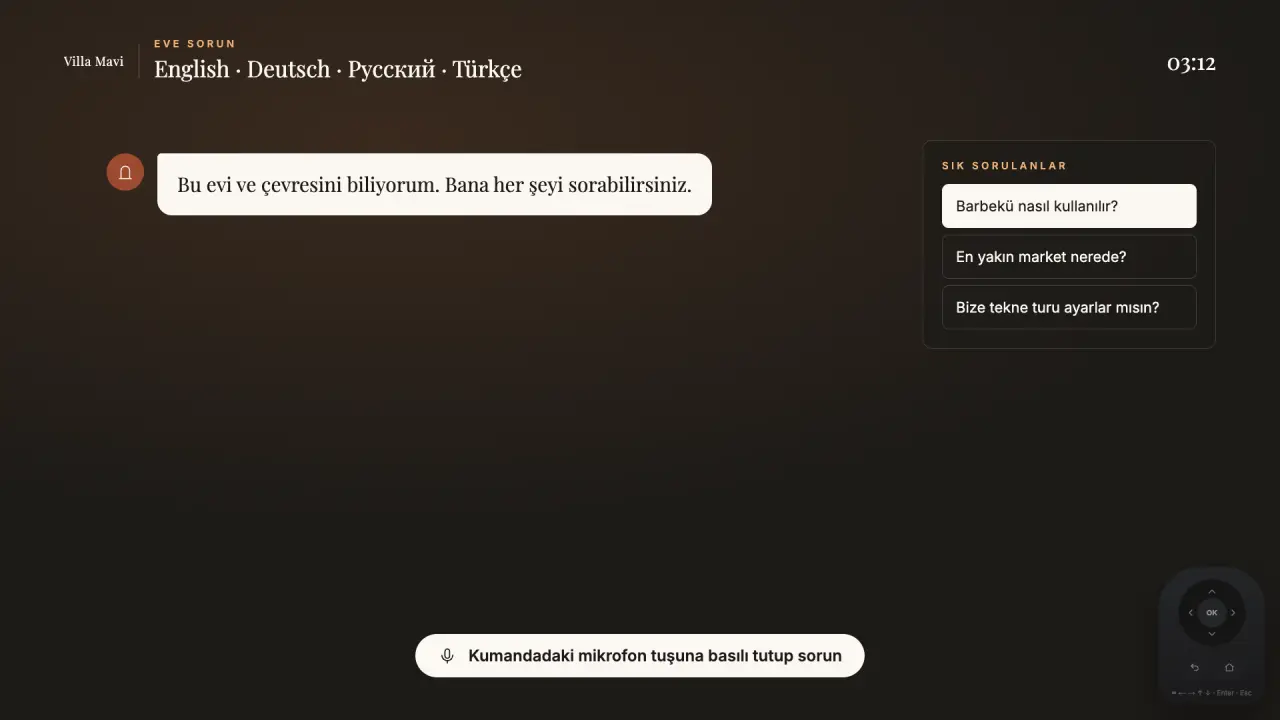
Tell guests, before arrival and on the TV, that they can cast from their phone and do not need to sign in. Welcomo's welcome screen includes a one-step shortcut to Netflix or YouTube, and a private phone page opened by QR code that works from booking until check-out. A clear welcome message helps guests sign out themselves.
Welcomo also lets hosts reset the guest-facing state of the screen between stays from the panel. To be clear, that resets what the welcome screen shows. It does not sign anyone out of Netflix, YouTube or other apps, so the steps above still apply.
Google TV has an apps-only mode that hides personalised recommendations on the home screen, which reduces what a previous guest's activity can influence. It does not sign out apps, so keep the checklist.
What does a good routine look like across a stay?
A simple routine avoids most problems. Put it in your checkout checklist and keep the steps identical for every stay, so that nobody has to remember anything.
- Before arrival: confirm the TV has no old profile on the home screen and that the apps are signed out.
- At check-in: the welcome screen explains that guests can cast from their phone and sign out when they leave.
- During the stay: nothing to do. Guests choose how they watch.
- At checkout: open each streaming app on the TV and sign out, using the on-TV steps.
- If a guest forgot: use the account owner's remote options in the table, or ask the guest to sign out remotely from their own account.
- Before the next guest: run the pre-arrival check again.
What else can a previous guest leave on a TV?
Streaming accounts are the obvious item. Others are easy to forget: saved Wi-Fi networks and hotspot names, browser history if the TV has a browser, recent app rows on the home screen, and profile names inside apps. Look at the TV the way a new guest would.
If a TV has been heavily used, a factory reset between seasons removes everything, but it also removes your own settings. For that reason a simple per-stay sign-out is better for daily operation, and a factory reset belongs in your annual maintenance.
Frequently asked
Can I sign a guest out of Netflix on my TV remotely?
Yes. Netflix's Manage Access and Devices page lets the account owner sign out one device or all devices. That is the account owner's page, so it works for your own account, not for a guest's account.
Does Welcomo sign guests out of streaming apps?
No. Welcomo does not automatically sign out Netflix, YouTube or other apps. It resets the guest-facing welcome state between stays, and you handle app sign-outs with the checklist above.
A guest left their YouTube account on my TV. What do I do?
Sign out on the TV through the YouTube menu, profile, Sign out or Remove Account. If you cannot get to the guest's account, the guest owner can use myaccount.google.com/device-activity or the permissions page. You cannot sign them out from your own account.
Is it safer to let guests cast from their phone?
Yes. Casting does not store the guest's login on the TV, so there is nothing to reset. It is the cleanest approach for guests who only watch for a few days.
Should I leave my own Netflix on the TV?
We advise against it. Guests can see your profiles and viewing history. Use a dedicated host account, or leave the apps signed out.
Sources
- Netflix Help Center: how to sign out of a device · retrieved November 16, 2026
- YouTube Help: sign out or remove an account on your TV or game console · retrieved November 16, 2026
- Prime Video Help: issues during sign in or sign out (deregister a device) · retrieved November 16, 2026
- Google TV Help: apps-only mode · retrieved November 16, 2026