



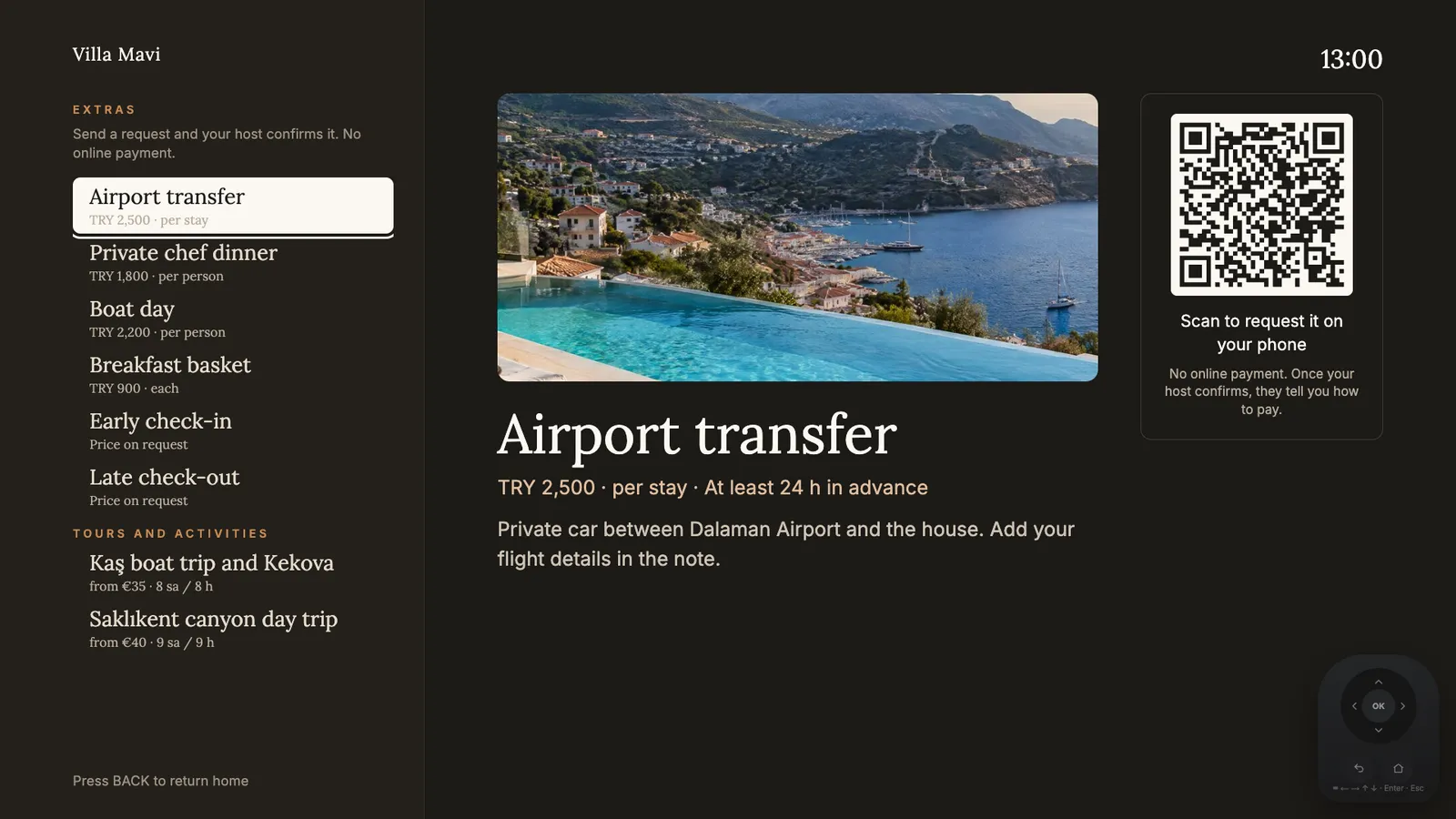
Extras on the TV: guests scan the code and request from their phone.
Do you need an IPTV project?
No. Classic hotel TV systems need a head-end, coax or IP distribution and an integrator on site. Welcomo runs inside the room TV itself or from a small device in its USB port. There is no cabling, no channel distribution and no infrastructure change.
The TV keeps its normal broadcast and apps such as Netflix and YouTube. Welcomo simply becomes the first screen the guest sees.
How do bookings arrive without a PMS?
A PMS is not required. Ready connections exist for Beds24, Lodgify, Hostaway, Guesty and Hospitable: bookings, guest name, language and cancellations arrive automatically. If you use another system or a calendar, an iCal link works too, and then only dates arrive. Details per room reach the panel and the screen greets accordingly. More: /en/integrations.
What does the guest see in the room?
On entering, the screen welcomes the guest by name in their language: Turkish, English, German or Russian.
- Hotel information: breakfast hours, pool and spa rules, check-out time
- A neighbourhood guide built from your own recommendations
- Live weather and sea temperature
- A Wi-Fi QR code
- A QR to a private phone page, live from booking until check-out
- An AI assistant that answers from the hotel's own information and passes on what it cannot answer
Does it reduce the front desk's load?
The questions guests ask most, the Wi-Fi password, breakfast hours and check-out time, are always on screen. For late-night questions the assistant answers only from what you entered and forwards the rest to the hotel. Your team is spared repetitive questions and guests get an answer without waiting.
Extras: from the room TV and the phone
The screen has an "Extras" tile, and the phone page opens the same order sheet. Guests request a transfer, a breakfast basket, extra cleaning, early check-in or late check-out. You set the price or choose "price on request", confirm the request in the panel and collect payment directly. Welcomo takes no payment and no commission. More: /en/extras.
Which TVs does it work with?
Google TV and Android TV run it directly. On LG (webOS) and Samsung (Tizen) models, a Google TV stick on HDMI is recommended; the owner buys it and installs Welcomo from Google Play (coming soon; write to us for setup), and it makes Welcomo the first screen at power-on. Step by step: /en/setup. In and around Fethiye we can set it up on site; write to us. This TV can also run the Welcomo app (once it is published in the TV's app store), but it will not open by itself at power-on; the guest has to open it with the remote. 2018 and 2019 models are tested first. Older or other TVs also use a Google TV stick. You can check your room TVs' model codes on the compatibility page.
Pricing by room count
Each room is 1 unit. On yearly billing, per month: unit 1 is 12 USD, units 2 to 3 are 7 USD, units 4 to 10 are 5.50 USD and unit 11 onward is 4.50 USD (TRY 449, 269, 199 and 169, excluding VAT). Each room includes up to 3 TVs. Use the calculator on the pricing page for your exact total.
Frequently asked
Does a room need cabling or a server?
No. On Google TV and Android TV the app runs directly; otherwise a Google TV stick on HDMI (bought by the owner) is enough.
I do not have a PMS. Can I still use it?
Yes. Bookings come in via iCal or through a Beds24, Lodgify, Hostaway, Guesty or Hospitable connection. A PMS is not required.
Does it change my TV channels?
No. Welcomo is not a broadcast system. The TV's existing channels and apps stay as they are.
How big a property is it for?
The price per unit drops as you add units. Room count is not a limit, it only affects the price calculation.