



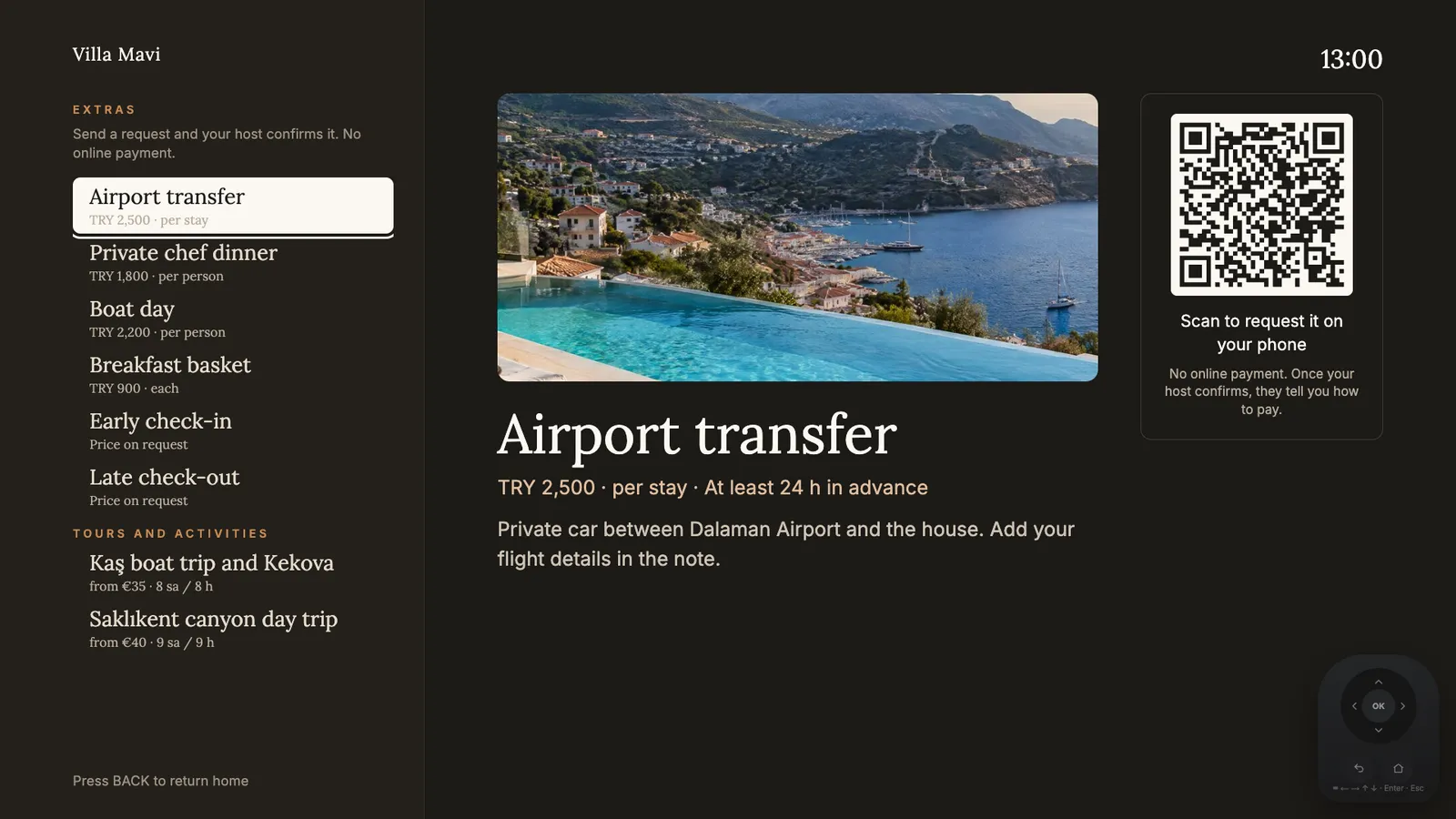
Extras on the TV: guests scan the code and request from their phone.
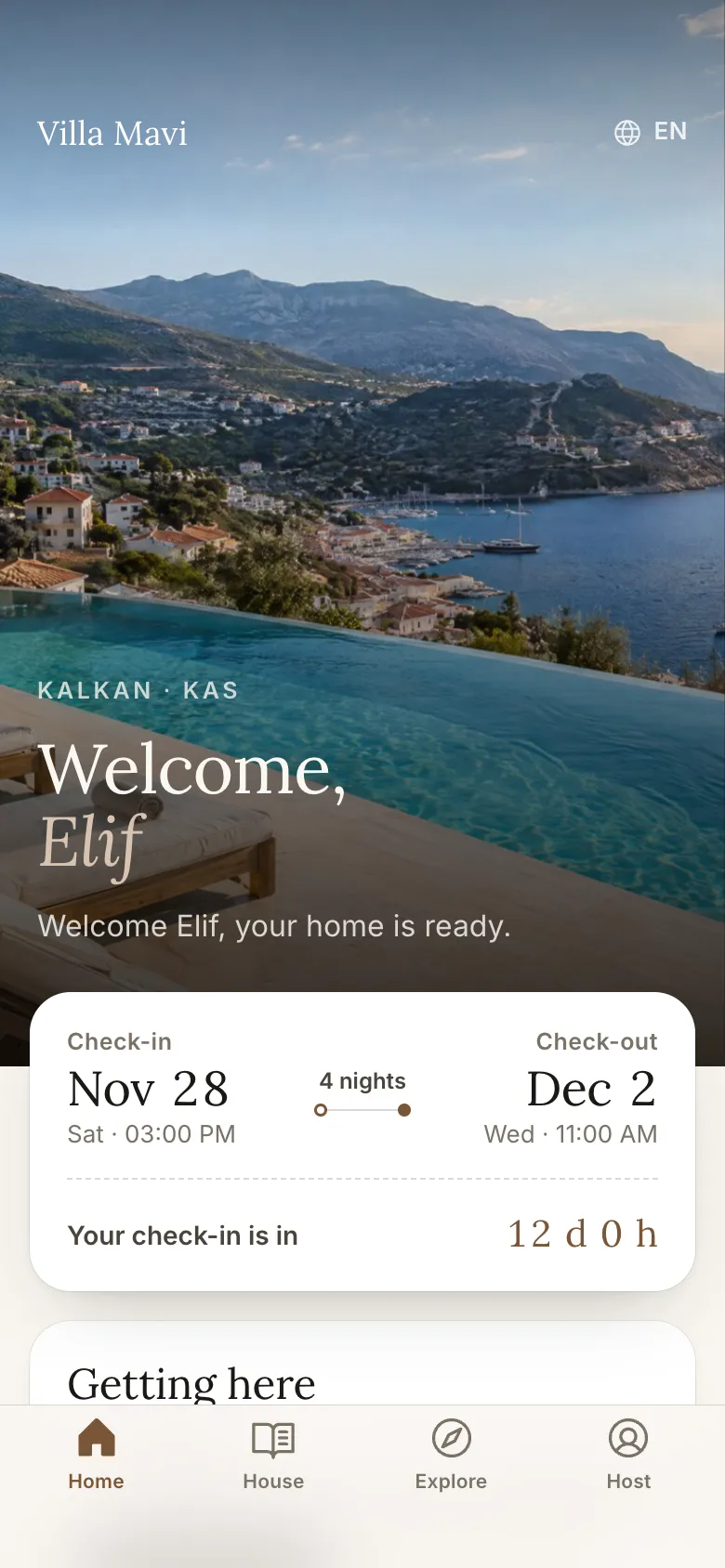
Before arrival: countdown and getting here
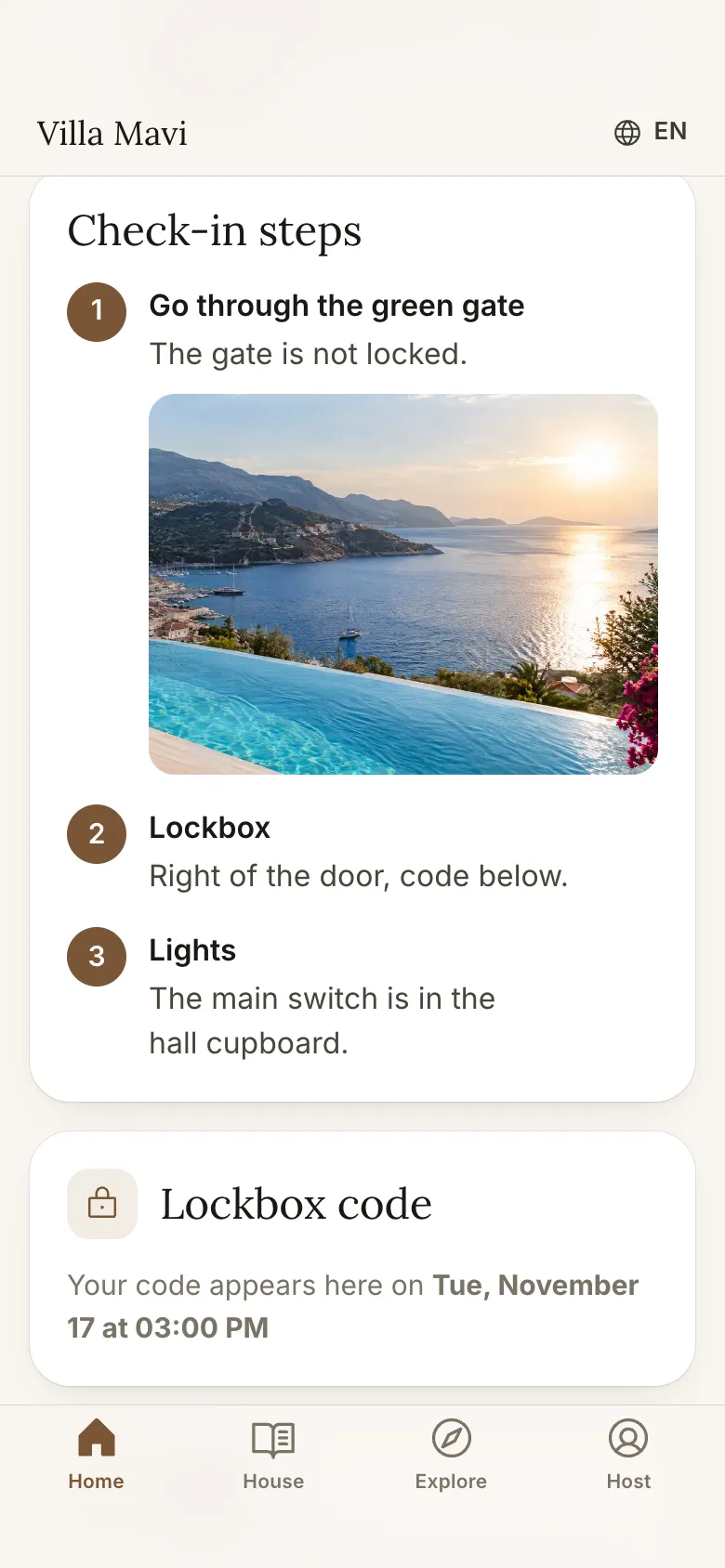
Check-in steps and a timed door code
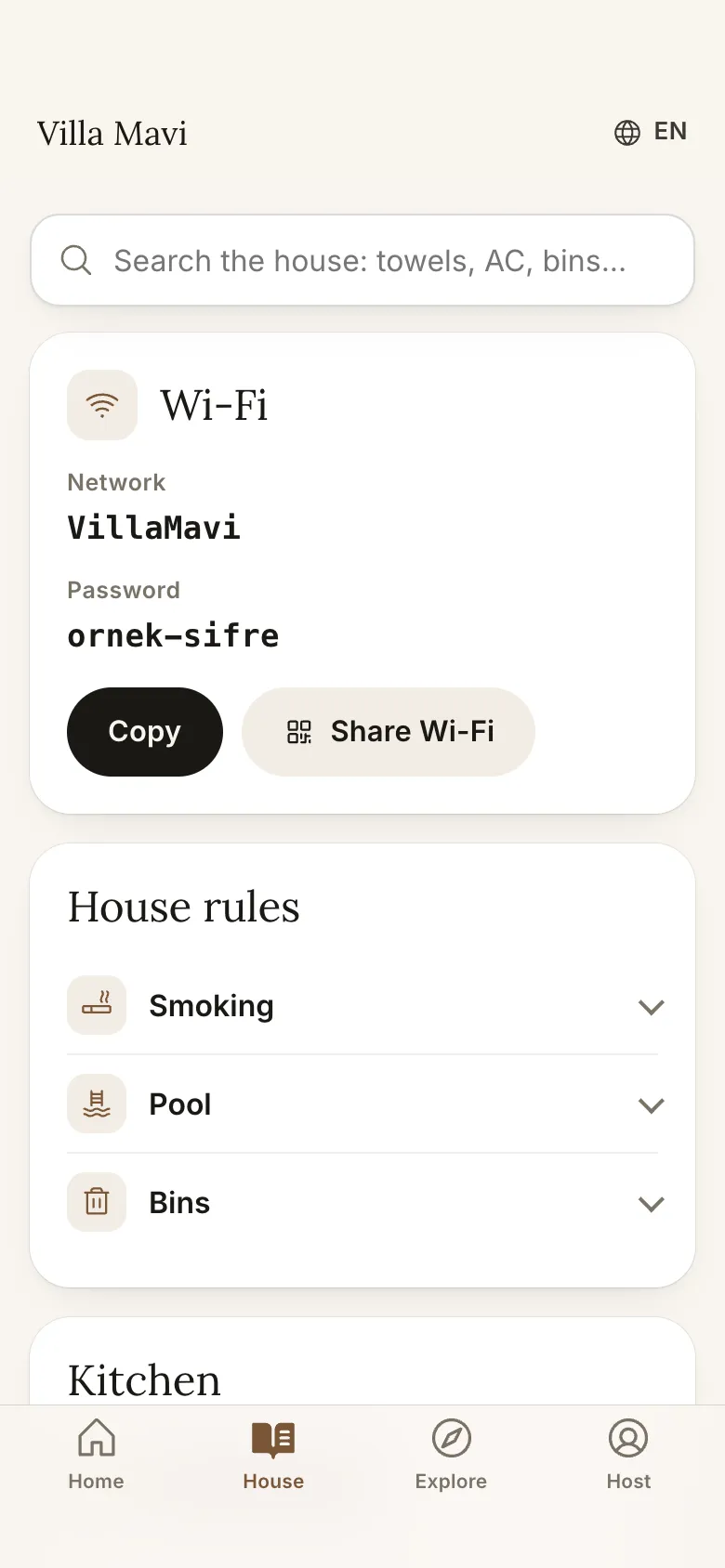
Searchable house guide and Wi-Fi sharing
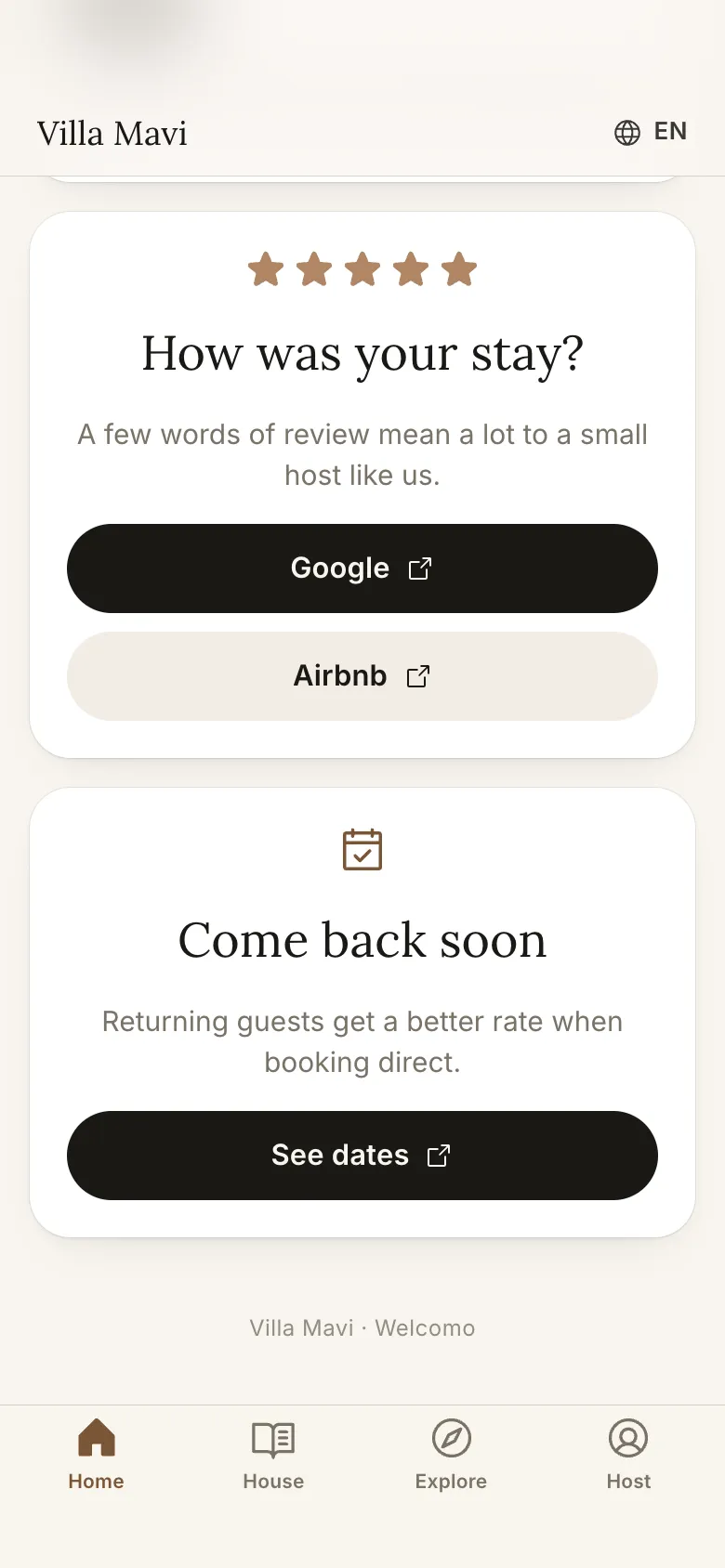
Last day: review and Come back cards
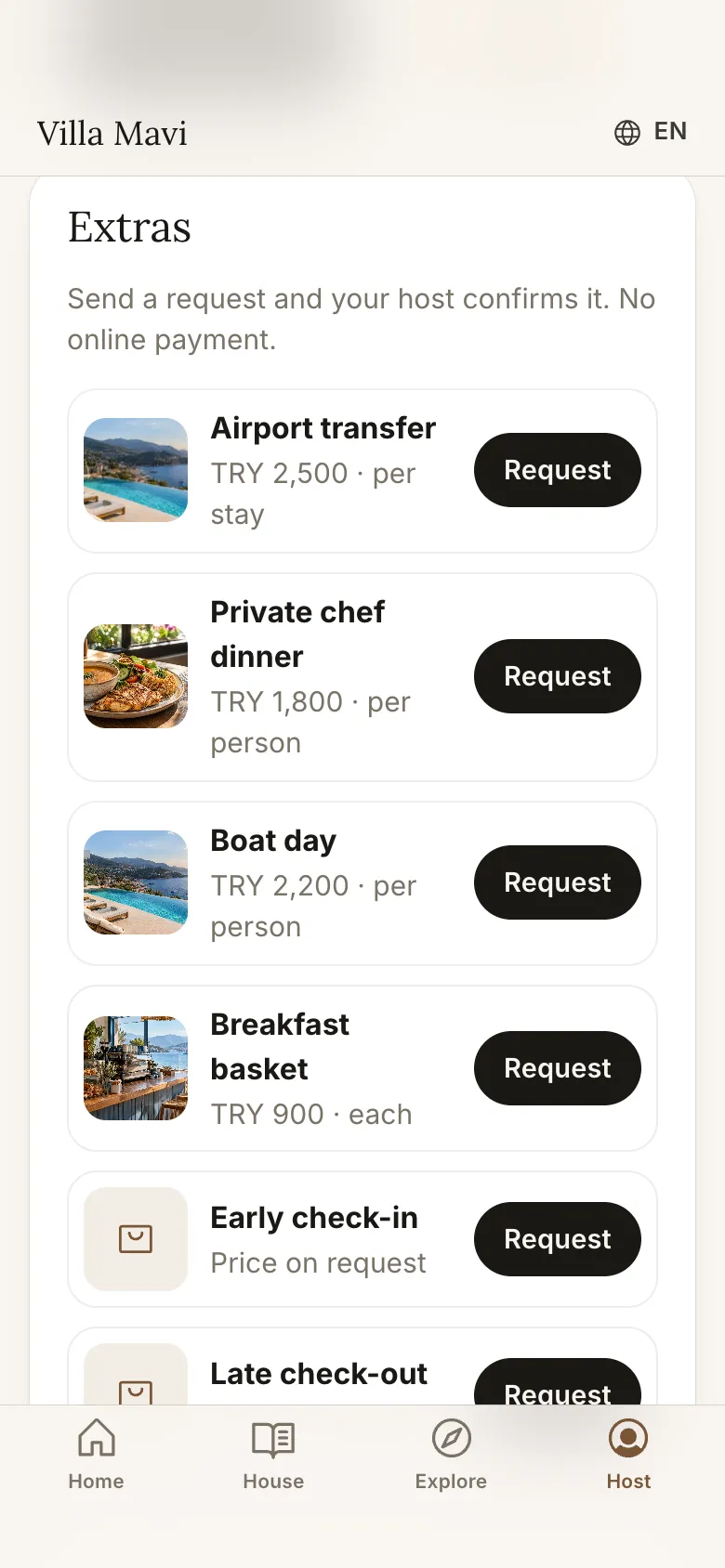
Extras on the phone
Why should a guidebook be on both the TV and the phone?
A phone link helps on the way and out and about: how to get in, the nearest shop, a dinner suggestion. The TV is the one place a guest reliably looks in the first minutes at the house. Together, information arrives both early and at the moment of need.
- TV: welcome, house tour, rules, Wi-Fi QR, weather and sea temperature
- Phone: a private page for one booking; the QR code on the TV opens it in the browser, no app to install
- The phone page works right after booking, with Wi-Fi and the door code shown at the right time
Before arrival: a countdown and an arrival guide
The phone page works before the guest sets off. It shows a countdown to check-in and an arrival guide with the address, a directions button that opens Google Maps or Apple Maps, parking notes and illustrated check-in steps.
The door or lockbox code appears only on that guest's phone and only inside the time window you set, for example from check-in time. Until then the page says when the code will appear. It is never sent in a message or shown on a shared screen.
During the stay: what the guest finds on the phone
Once the guest is in the house, the page becomes a daily helper.
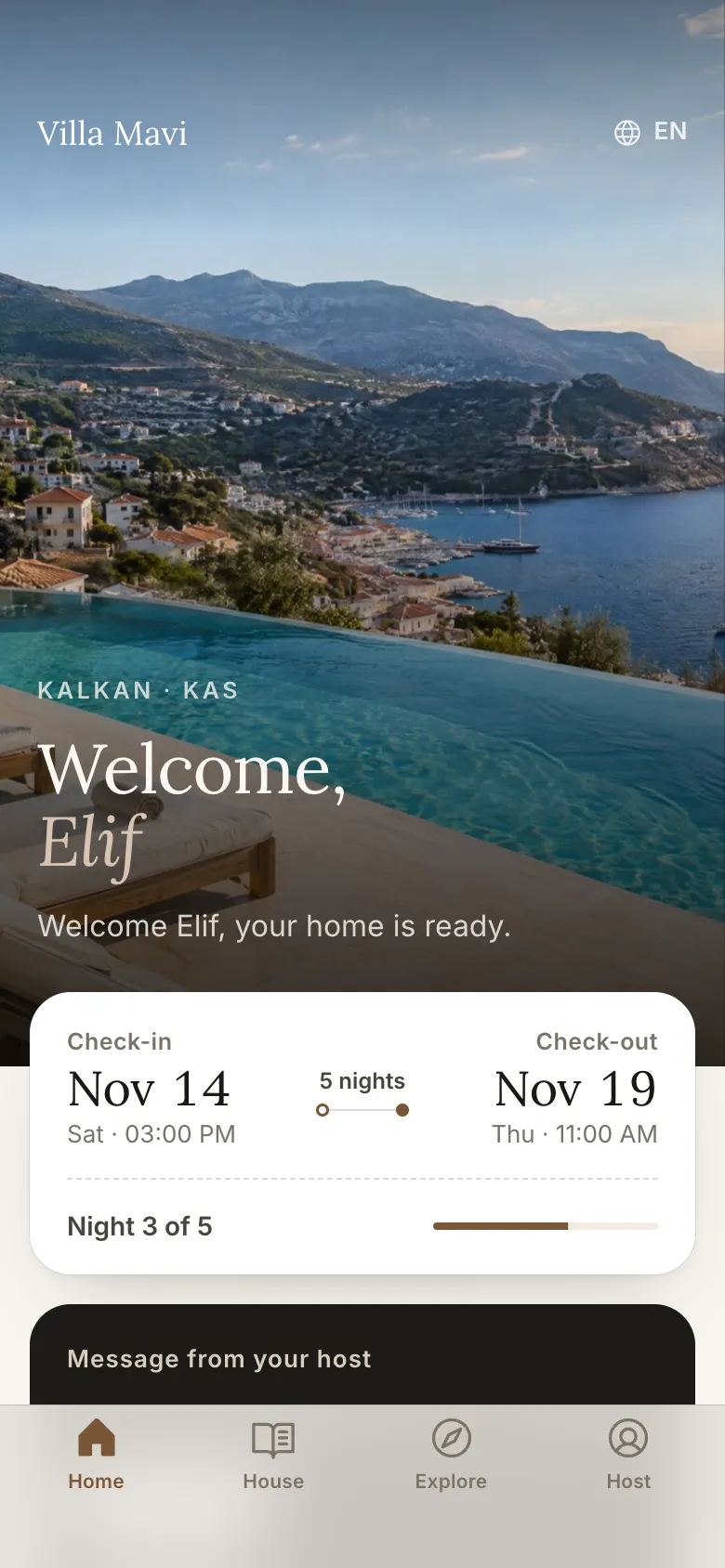
- A night counter such as "Night 2 of 4"
- Messages from the host and quick actions: Wi-Fi, WhatsApp the host, check-out time, emergency
- Weather and sea temperature
- A searchable house guide: house rules and appliances such as the air conditioning or the washing machine
- Wi-Fi with a copy button and a "Share Wi-Fi" QR code for other devices
- Useful numbers: pharmacy, hospital, taxi and emergency 112
- "Add to home screen" so the page opens like an app
Explore and the assistant
The Explore section shows only the places you add, with categories such as beach, food and sights, opening hours and directions. The AI day planner builds a day from your own places only; it does not pull in random venues from the web.
The assistant chat keeps the conversation during the stay and accepts voice input. It answers only from the property's information and forwards what it cannot answer to you.
Extras: guests request services from the phone
The phone page has an order sheet. Guests request an airport transfer, a private chef, a boat day, a breakfast basket, extra cleaning, early check-in or late check-out, a BBQ set or a celebration set in one tap. You can add your own services with one-click templates.
You set the price, or choose "price on request", and the date, slot, quantity and lead-time rules. You confirm or decline each request in the panel, the guest sees the status and your message is translated into their language. You collect payment directly: on site, by IBAN or through your own payment link. Welcomo does not take payment and does not charge commission on these services.
Activity links are included too: GetYourGuide and Viator tours open with your own partner ID, so any affiliate commission goes to you. More: /en/extras.
Phone only: the Guide plan
If there is no TV, or you only want the guide, the Guide plan gives you the guest phone page and the assistant without a TV screen, per accommodation unit. It is the entry plan, with an upgrade path to the Accommodation plan. For current prices see /en/pricing and pick the Guide plan (/en/pricing?plan=guide).
Last day: check-out checklist, review and come-back card
On check-out day the page shows the check-out time and a checklist. The guest can send a late check-out request with one button. Then a review request card appears, with the Google and Airbnb links you set. A "Come back" card sends the guest to your own site for a direct booking.
What goes in the guidebook?
Each property enters its own content; Welcomo turns it into a tidy screen and phone page. House info, rules, the check-out routine, a local guide built from your recommendations, Wi-Fi details and the AI assistant are all part of it.
How do you manage it?
In the panel you write in one language. The AI drafts Turkish, English, German and Russian versions and you review and publish. When something changes you save it once and the TV and phone page update remotely. There is no reprinting, laminating or wrong page in the binder.
How is this different from a printed welcome book?
A printed book is one language, goes out of date, and the guest has to find it in the room. A digital guidebook is multilingual, stays current and comes to the guest. Leaving a short printed emergency note on the table is still a good idea; the screen can carry the rest.
How do you get started?
To plan what the guide should contain, start with our house manual template. Then see a screen with your own details in the demo and ask for a 7-day demo account. Pricing is per accommodation unit; the first unit on yearly billing is 12 USD a month (excluding VAT).
Frequently asked
Does the guest install an app?
No. The QR code opens the guide in the phone's browser.
Is the guide a public link?
No. The phone page works right after booking and stays active until check-out, then access closes. The Wi-Fi password shows from check-in day and the door code only in the window you set.
Which languages does it support?
Turkish, English, German and Russian. You write in one, the AI drafts the others and you approve them.
Can I get only the phone guide without a TV?
Yes. The Guide plan gives you the guest phone page and the assistant without a TV, and you can upgrade to the Accommodation plan later.
Do you take a commission on extras?
No. You collect payment directly; Welcomo does not take payment or commission.