



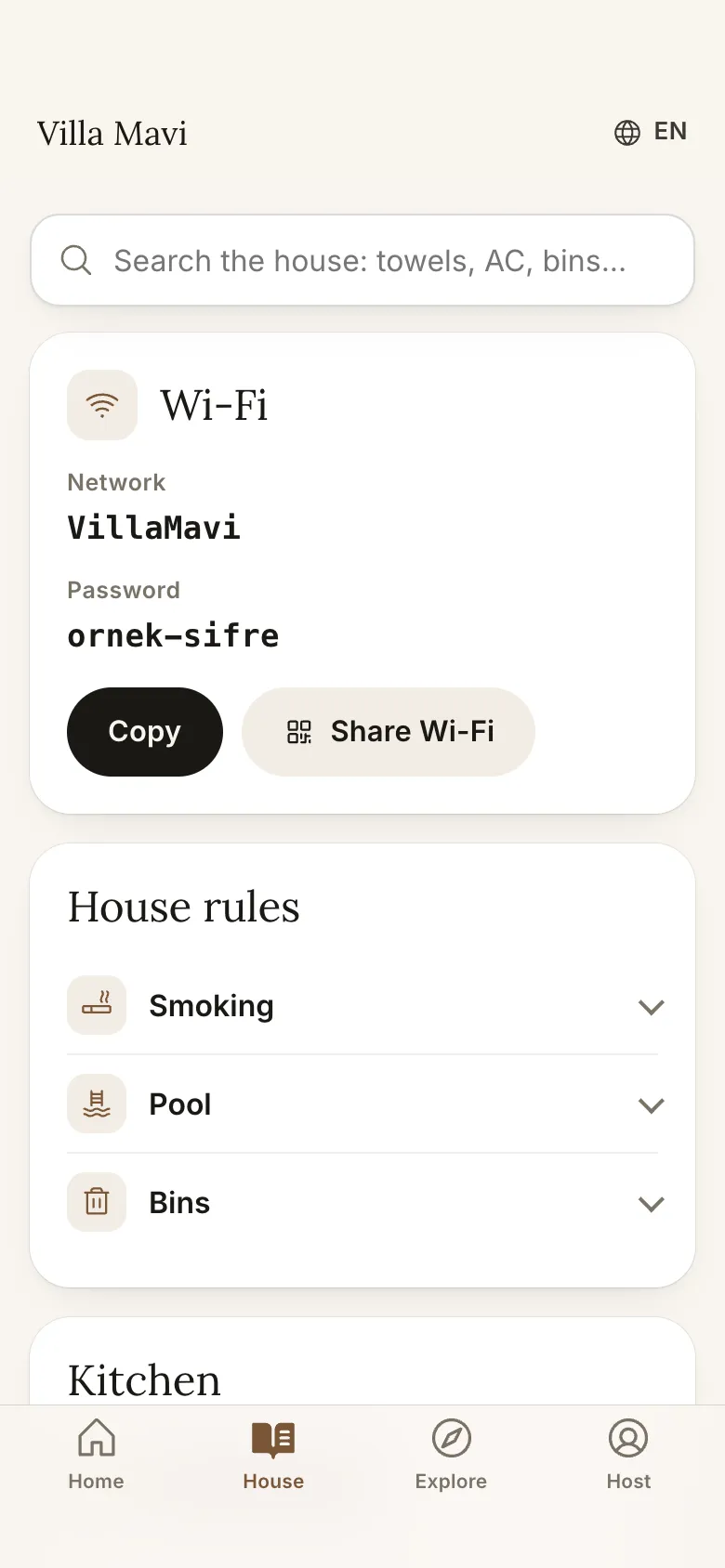
Searchable house guide and Wi-Fi sharing
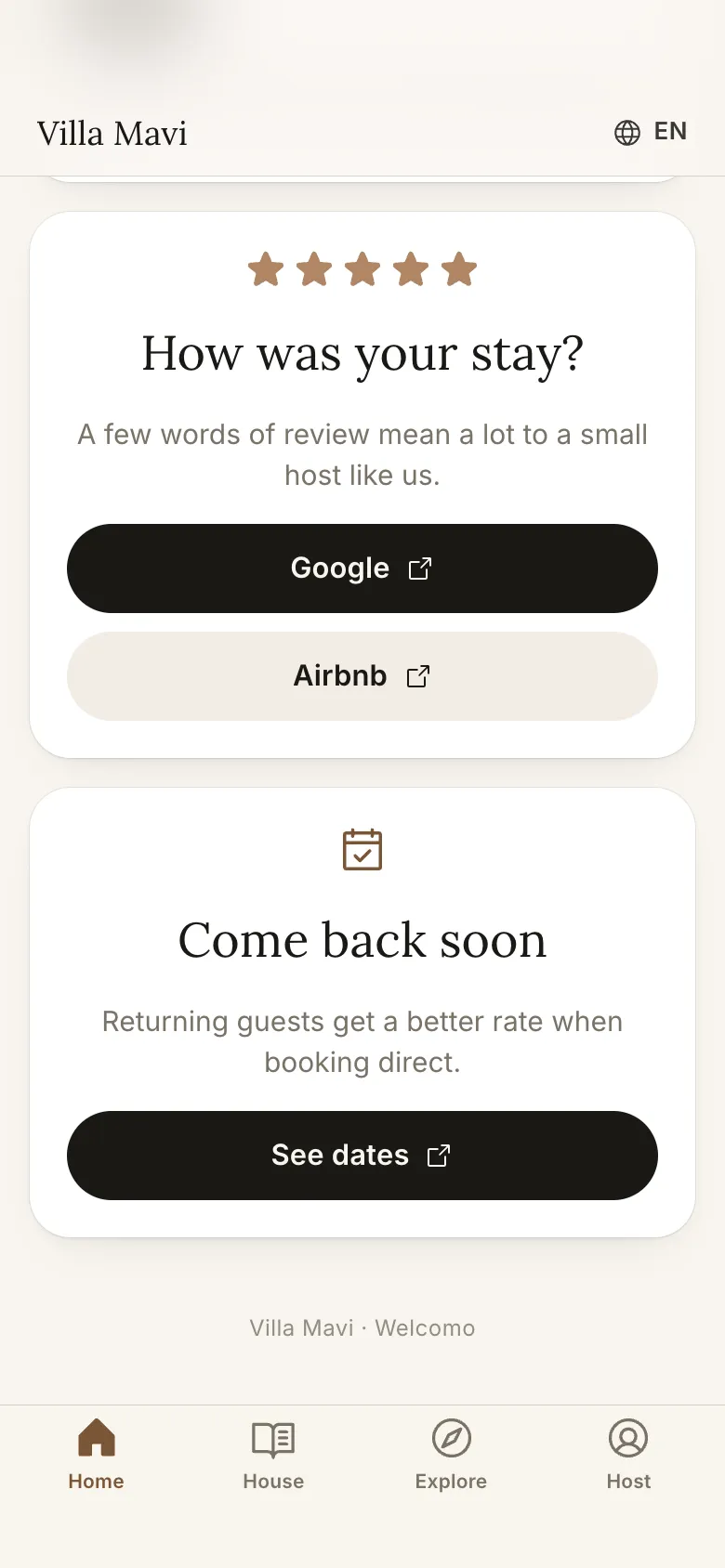
Last day: review and Come back cards
How do you prepare a digital guidebook, step by step?
Finish each step before moving on. The whole job usually takes an afternoon.
- Collect the questions guests ask. Open your last ten guest conversations and note the repeats: Wi-Fi, air conditioning, check-out time, bins, the nearest shop, how the TV works. These are the backbone of the guide, so write them first.
- Group the answers into sections. A common structure is check-in (access, directions, parking), the property manual (Wi-Fi, appliances, house rules, amenities), check-out (what to do, where rubbish goes) and the local area (food, activities, shops). Our house manual template gives ten ready sections with sample wording.
- Write short and direct. One topic per section, key facts such as codes and times directly under the heading, numbered steps for anything done in order. Add photos and short videos for anything hard to operate.
- Add your own local recommendations. A short list of places you genuinely use, with a line on why, earns more trust than a long generic list. Include a supermarket, a pharmacy, two restaurants, one beach or sight and one thing for rainy days.
- Translate it. Use the language most of your guests speak and English. In the Welcomo panel you write once, the AI drafts Turkish, English, German and Russian versions and you review them before publishing.
- Put it where the guest will look. Put it on the TV, where guests look in their first minutes, and share a private phone link or QR code so it is in their pocket when they are out. A link buried in a booking message is forgotten.
- Test it as a guest. Walk in through the front door with only the guide and see whether you can get in, connect to Wi-Fi, turn on the heating and find the bins.
What should a digital guidebook include?
Touch Stay's overview of digital guidebooks groups the content like this. We have added the last column to show where each item belongs in a guide that also runs on the TV.
| Stage | Typical content | Where guests need it |
|---|---|---|
| Before arrival | Directions, public transport, access times, what to pack | Phone, on the way |
| Check-in | Access code or key location, parking, Wi-Fi | Phone at the door, then TV |
| During the stay | Appliance guides, house rules, amenities such as pool or fire pit, emergency contacts | TV and phone |
| Food and drink | Local restaurants, cafes, bars, dietary notes | Phone, when going out |
| Things to do | Hikes, landmarks, museums, shopping and your own tips | TV in the evening, phone out and about |
| Check-out | Time, what to do, where to leave rubbish, transfers | TV the night before and morning of |
Content groups follow Touch Stay's guide to digital guidebooks, retrieved 2026-11-16. The last column is our suggestion.
Which format should you use: PDF, link-based guidebook or TV and phone?
There are four common ways to deliver a guest guide. None is wrong, and many hosts combine two. The question is whether the guest will actually see it at the moment they need it.
- Touch Stay notes you can keep a PDF option for guests who prefer a printed copy
- Digital versions can be updated without reprinting, which is the main reason to move off paper
- Whatever you choose, keep a short printed note with emergency numbers and the Wi-Fi
| Format | Strengths | Weaknesses |
|---|---|---|
| Printed binder | Always in the room, no battery or signal needed | One language, goes out of date, has to be reprinted, easy to lose |
| PDF or document sent by message | Quick to make, can be printed | Static, easy to forget, hard to search on a phone |
| Link-based digital guidebook | Updated without reprinting, can include photos, video and maps | Guest must open the link; often only seen once |
| TV welcome screen plus phone page | Greets the guest on arrival, always in the room, QR hands over to the phone | Needs a compatible TV or small device; the phone page is time-limited |
What are the most common mistakes?
Guides usually fail for these reasons.
- Too long and disorganised: guests cannot find what they need in thirty seconds
- Out of date: a changed password, bin day or restaurant that was never updated
- One language: international guests cannot follow it
- Hidden: the guide sits in an email or a drawer instead of in front of the guest
- All text: no photos for the fuse box, key box or boiler
- No contact route: the guide does not say what to do if it does not answer the question
How does the guide stay current?
After every stay, read the questions that came in. If the same question appears twice, the guide is missing something, so add it. Check seasonal items such as pool hours, restaurant opening times and bin collection before each season starts. In a digital guide you update a fact once and everyone sees it. In Welcomo the TV and the phone page refresh remotely.
Welcomo's AI assistant answers only from the information you entered. When a guest asks something it cannot answer, it says so and forwards the question to you. After replying, add the answer to the panel so the next guest gets it instantly.
What does a good guide look like in practice?
Imagine a guest arriving at night with tired children. The pre-arrival message gives them the address, the parking spot and a QR code to the guide. At the door the access steps are on their phone, with a photo of the key box. Inside, they turn on the TV and it greets them by name, shows the Wi-Fi code and a short tour of the house. In the morning they ask the assistant where to buy bread and get your favourite bakery with its opening time. The day before they leave, the check-out steps are on the screen.
None of that needs a long document. It needs the right five or six facts, in the right place, at the right moment.
What if guests still do not use the guide?
If you keep getting questions that the guide already answers, the problem is usually visibility, not content. Move the Wi-Fi and the entry steps to the very top, put a QR code in the entrance, and mention the guide in your pre-arrival message in one line. If you have a TV in the property, put the guide there so it greets guests when they turn it on.
Frequently asked
How many items should a guide have?
The number of sections matters less than keeping each short. Put what the guest needs on day one (entry, Wi-Fi, rules, check-out) first and the local tips after.
Is sending a PDF enough?
It helps, and some guests like a printable copy, but a PDF is static and easy to forget. A guide on the TV and a phone page you can update stays visible and current.
How long does it take to build one?
Plan an afternoon for a first version if you already know the answers to the common questions. Photos and the local list take the longest, and you can add them over the first few stays.
Do guests need to install an app?
No. With Welcomo the QR code opens the guide in the phone's browser and the TV runs the app. Guests install nothing.
Why do local recommendations matter?
Guests want a few places you trust rather than generic lists. It builds trust and cuts messages. Keep the list short and personal.
Sources
- Touch Stay: The complete guide to digital guidebooks · retrieved November 16, 2026
- Touch Stay: Airbnb house manual template · retrieved November 16, 2026
- Host Tools: Airbnb house manual · retrieved November 16, 2026